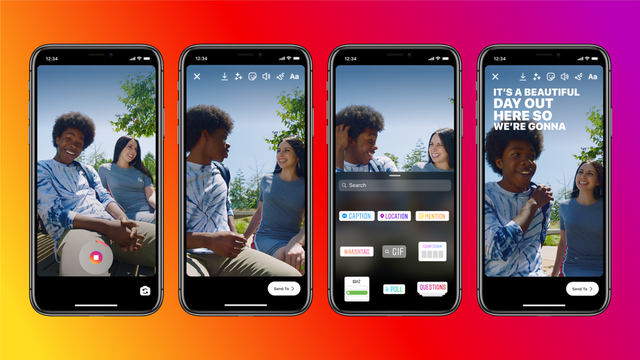
The discussion that started several months ago, has finally become a fact: Instagram has set the option of automatic subtitles on InstaStory. The new option is thought to help users create more interactive content and will make it easier for the deaf to use the app.
Subtitles will act as stickers and translate audio into text, allowing users to read or listen. The option, in use, resembles that of music, so it is not difficult, just follow the instructions.
How to set subtitles on InstaStory?
First, update the app, and then try uploading a video. Go to the adhesives section, click "Captions", which is blue. As soon as you type it, the voice starts to be translated into the text and when it finishes, you have the opportunity to personalize it in the type of writing, size, colors. You can also correct mistakes that the translator may have made in the process.
In what languages ??are subtitles available?
Automatic translator recognizes up to 90 languages, from which users can choose. To do this, click on "See translations" in the upper left corner of a story and if another language appears, click on it and your translation will be displayed. This option is only available for those text posts, not yet for voice ones.
Are there subtitles for Instagram Reels?
Currently, subtitles work for Thread, Stories and IGTV (the latter translates to up to 16 languages). Anyway, in a press release, Instagram plans to test it on Reels soon.